IT Operations.
Unified.
Tickets, alerts, device events, HR changes — everything flows into one governed engine that classifies, routes, executes, and audits automatically.
Built for every team — from non-technical staff to IT professionals.
Works with your existing tools
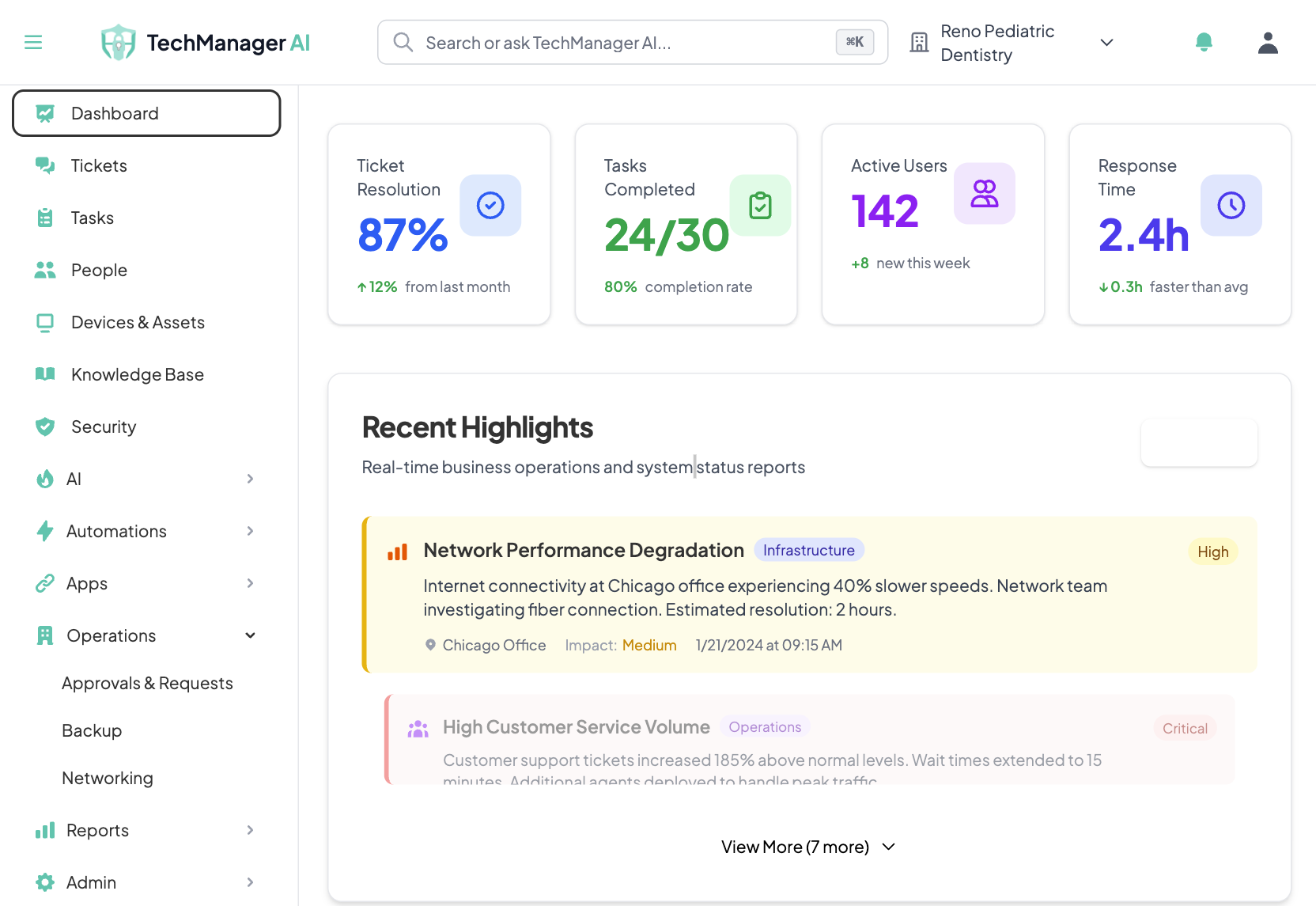
The Problem Isn't One Tool. It's Twelve.
Tracked on a spreadsheet, tickets piling up, locations going dark. One engine handles everything — with full audit trail.
Inputs
Outcomes
A Slack message becomes a governed IT action in under 2 minutes
An RMM alert triggers automated diagnostics and escalation
A new hire in BambooHR triggers access provisioning across all systems
A voicemail gets transcribed, classified, and routed — automatically
There's a Better Way
Built for Business. Not Individuals.
Known problems? Solved. New ones? It learns the fix — and applies it, everywhere. Requests? Approvals? We escalate. Vendor dispatch, on-site guidance — all coordinated.
No IT team? We run your entire operation — tickets, access, security — so you don't need to hire.
Have IT? We handle L1/L2 so your engineers focus on strategic work.
You're notified — only when it matters.
Integrations
Resolution
Pricing
Owners & managers can run it.
AI handles tickets, requests, and emergencies. We back it up with human support. No technical expertise required.
- Built for practice owners & office managers
- No need to hire IT staff
- Human experts when you need them
IT professionals: focus on what matters.
Significantly reduce ticket volume. Free your team from L1/L2 work. One platform for all your tools.
- Built for solo IT & small IT departments
- AI handles repetitive L1/L2 work
- Focus on strategic initiatives
Structured. Simplified. Automated.
The IT landscape is broken. Here's what your industry is up against — and what we do about it.
Up to 10x faster resolution. Up to 70% less IT spend.
Healthcare practices, law firms, and financial advisories trust TechManager AI to keep operations running
Downtime You Can't Afford
Tickets piling up. Locations going dark. Staff idle. There's a better way.
Freezer died over the weekend — $50K in vaccines spoiled
The problem
24/7 sensor monitoring with escalation. AI detects failed alerts, retries delivery, and calls the on-call person until someone responds.
Vaccine fridge sensor fires at 2 AM → AI checks temperature threshold, detects critical drift → escalates to practice manager via text + phone → logs the incident for compliance review. No one has to be watching.
IT tickets pile up — users wait hours for a response
The problem
AI responds instantly and resolves most routine tickets automatically — no waiting, no backlog.
Sarah in billing Slacks “my printer isn't working.” AI identifies her location, checks the printer's status via NinjaOne, runs a remote restart, and messages Sarah: “Try printing now — I restarted the Lexmark on the 2nd floor.” Resolved in 47 seconds. Logged. Audited.
Location goes down — staff idle, revenue lost
The problem
Proactive monitoring detects issues before they cascade. Auto-failover, instant alerts, and AI-guided recovery get you back online fast.
Branch office firewall goes unresponsive → AI detects the outage via NinjaOne, runs remote diagnostics, initiates failover to backup link → alerts your team with full context. Staff never knew it happened.
Former employee still has access — liability waiting to happen
The problem
Automated access revocation removes all permissions instantly. Audit trails show exactly who had access to what and when — compliance-ready.
When HR marks an employee as terminated in BambooHR, TechManager immediately revokes Google Workspace, Slack, VPN, and EHR access — then generates a compliance report showing every system touched, timestamped.
Paying for software nobody uses — licenses you forgot exist
The problem
Full visibility into every subscription, license, and SaaS tool. Identify waste, cut unused seats, and stop paying for ghost accounts.
AI scans your Google Workspace and Microsoft 365 accounts → flags 12 inactive licenses across two offices → generates a report showing $4,800/year in recoverable spend. One click to reclaim.
Remote employee locked out at 2 AM — no one in their time zone to help
The problem
AI resolves access issues instantly — any time zone, any location. Same governed pipeline whether the user is at HQ, a branch office, or working from another country.
At 2 AM in Manila, your remote analyst messages Slack: “Locked out of the CRM.” AI verifies their identity, resets the session, re-authenticates them, and logs the full action chain — all before they finish their coffee.
Complete Control Over IT Operations
Not a ticket queue — a control layer. Capture requests, enforce approvals, execute actions, and document everything automatically.
Governed Execution Engine
Every AI action flows through request, policy check, approval, execution, and audit. Full control over what AI can do — and proof that it did it right.
Flexible AI Engine
Powered by Google Gemini. Configure OpenAI, Claude, or self-hosted models per organization. Complete flexibility to choose the best AI for your compliance requirements.
Intelligent Knowledge Base
AI-powered RAG search, versioned articles with approval workflows, collections, and analytics. Your team's knowledge — organized and instantly searchable.
Enterprise Security Command
Security operations with comprehensive audit logging and compliance reporting tools.
Device & Software Management
Track every device, license, and software assignment across your org. See costs by vendor, catch unused licenses, get renewal alerts — auto-synced from your identity, authorization, and device management tools.
Request Control Center
Smart ticketing, automated responses, and multi-channel support that resolves 80% of requests instantly.
How It Works
Get started in days, not months. Set it up yourself or let us handle the integration for you.
Connect Your Existing Tools
Link the software, cloud services, and devices you already use. Works with your existing tools — set up in minutes, or our team handles it for you.
Add Your Locations
Offices, clinics, remote sites — add your locations and the platform maps your users, devices, security policies, and common issues automatically.
Known Problems? Solved.
New ones? It learns the fix — and applies it, everywhere. Set policies for what AI handles automatically and what needs human approval. You stay in control.
Requests, Approvals, Escalations — Coordinated
Vendor dispatch, on-site guidance, ticket resolution — all coordinated. You're notified only when it matters. Every action logged with a full audit trail.
IT Support That Understands Your Industry
Regulated industries need governed IT. See how TechManager AI adapts to your compliance requirements.
Every Signal. One Pipeline.
Tickets, alerts, HR events, and device data all flow into the same governed engine — organized by what they do, not where they come from.
Tickets & Requests
When a Slack message arrives → AI triages, resolves, or escalates in under 2 minutes
Alerts & Monitoring
When NinjaOne fires an alert → AI triages severity, checks runbook, executes fix or escalates
Identity & HR Events
When a new hire appears in BambooHR → AI provisions all accounts per your policies
Knowledge & Docs
When AI resolves a ticket → it searches your knowledge base for the best fix first
Automation & Orchestration
Custom workflows trigger governed actions through the same audited pipeline
Industry-Specific Tools
We work with the EHR/EMR, dental, legal, and financial platforms your team already uses. Our integration framework and automation connectors bridge your industry tools into a single governed IT layer.
Tell us what you use →Full REST API available for custom integrations. New connectors added regularly.
Offices. Clinics. Remote Sites.
Add your locations — whether you have 2 offices or 200 sites. Same policies, same approvals, same audit trail — everywhere.
Works With Everything
From legacy systems to modern cloud apps, we manage the technology your business actually uses — no forced migrations.
Compliance-Focused: HIPAA workflows with compliance-supportive logging. SOC 2 aligned controls. PCI DSS support via Stripe.
Primary industries + expanding to:
BYOD Support
Secure employee devices with full compliance
Bring Your Own License
Use existing software — no forced migrations
Multi-Site Management
Manage IT across all locations from one dashboard — same policies, same audit trail
Remote & Hybrid Teams
AI support for employees anywhere — home, branch office, or on the road
24/7 Global Coverage
AI resolves tickets instantly — no time zone gaps, no after-hours delays
Vendor Collaboration Portal
Invite external vendors, track SLAs, manage third-party access, and coordinate with your entire vendor ecosystem — all from one secure platform.
Predictable IT Operations for Regulated Industries
One predictable bill — no per-ticket surprises. HIPAA BAA available on all plans.
Essentials
Multi-site locations • Under 100 users
- Automated onboarding & daily sync
- Guides, videos & walkthroughs
- GRC, compliance & audit trails
All core integrations included
Pro
100+ users • Multi-site, multi-region
- Everything in Essentials, plus:
- Real-time sync & offboarding assurance
Priority SLA available as add-on
Enterprise
Unlimited users* • Dynamic workforce
- HR analytics & custom connectors
- SSO, SIEM & self-hosted deployment
- Priority SLA & migration help
*Subject to fair use policy
Frequently Asked Questions
Everything you need to know about TechManager AI
What is TechManager AI?
- • AI-powered IT operations platform with a governed execution pipeline
- • Every action flows through: request → policy check → approval → execution → audit
- • Routine operations run automatically; critical actions require human approval
- • Built for regulated industries — healthcare, legal, and finance
Who is this for?
Teams of all sizes in regulated industries:
SMB & mid-market — healthcare practices, law firms, and financial advisories that need IT managed without building a full department. AI handles the day-to-day; humans step in for complex issues.
Enterprise IT teams — organizations that need governed execution, audit trails, and policy enforcement across locations. Reduce L1/L2 ticket volume so your team focuses on strategic work.
Built for healthcare, legal, and finance — where compliance and documentation aren't optional.
Do you support multi-site and remote teams?
- • Multi-location — same policies, approvals, and audit trail enforced across all sites from one dashboard
- • Remote & hybrid — employees get AI support from anywhere via Slack, Teams, email, or the self-service portal
- • International — AI operates 24/7 with no time zone gaps; human escalation available across regions
- • Consistent governance — compliance rules enforced identically whether the user is in your main office or working remotely from another country
How does the AI actually work?
- • AI reads the ticket and searches your knowledge base
- • Picks the best action — you control what AI is allowed to do
- • We restrict every action through policies you define
- • Low-risk actions run automatically; high-risk actions wait for human approval
- • Everything is logged in a full audit trail
- • Powered by Google Gemini, with optional support for OpenAI, Claude, or self-hosted models
How do you handle compliance requirements?
Compliance is built into the platform, not bolted on. The governed execution pipeline means every action has a complete audit trail — who requested it, what policy was applied, who approved it, what was executed, and the result.
- • HIPAA — BAA available, compliance-supportive logging, governed access controls
- • SOC 2 — controls aligned with SOC 2 Type II requirements; continuous monitoring, change documentation, and access reviews
- • PCI DSS — payment processing handled through Stripe for PCI scope reduction; governed access provisioning for financial systems
What healthcare-specific IT issues can you help with?
We support the full range of healthcare practice IT needs:
- • Fax & eFax — setup, troubleshooting, and server configuration
- • VPN — secure remote access for staff and providers
- • Printers & scanners — connectivity, drivers, and network setup
- • Phone systems — landlines, VoIP, and desk phone configuration
- • Network & internet — connectivity issues, Wi-Fi, and troubleshooting
- • Medical devices — vision screeners, audiometers, vitals monitors, diagnostic imaging
- • EHR/EMR connectivity — integration issues, login problems, syncing
- • Label printers — patient wristbands, specimen labels, pharmacy labels
- • Check-in kiosks — setup, troubleshooting, and patient flow
What about finance and accounting firms?
Finance teams need strict access controls and audit trails for regulatory compliance. TechManager AI supports:
- • Governed access provisioning — new hire access requests go through policy checks and approvals before execution
- • Full audit trail — every action logged with who, what, when, and why for auditor-ready reporting
- • Anomaly detection — suspicious logins flagged and escalated automatically
- • PCI DSS support — payment processing via Stripe for PCI scope reduction; governed access to financial systems
What integrations are available?
- • Popular apps — Slack, Google Workspace, Microsoft 365, and more
- • Industry-specific — EHR/EMR systems, dental practice software, legal platforms, financial tools
- • Automation — connects to workflow tools like Zapier, Make, and n8n
- • REST API available for custom integrations
- • New integrations added regularly — ask us about yours
Is our data secure and isolated?
- • Fully isolated — each organization's data is completely separate
- • SSO and multi-factor authentication supported
- • Role-based access controls and API key management
- • Complete audit trails — who did what and when
How does pricing work?
- • Predictable monthly rate — Essentials, Pro, and Enterprise tiers
- • AI credits pooled across your whole team, not per user
- • Essentials: 5,000 credits/mo • Pro: 50,000 • Enterprise: unlimited
- • Volume discounts for larger teams
- • No surprise charges — Stripe handles billing automatically
How long does implementation take?
- • Most teams live in days, not months
- • Connect your tools, set your policies, AI starts handling tickets
- • Integrations typically take 1-2 weeks
- • We work with you to ensure a smooth rollout at your pace
Can we self-host it?
We're actively working on self-hosted deployment options. If this is important for your organization, let us know during your demo call and we'll discuss timelines and requirements.
What types of inputs does TechManager process?
Everything flows into one governed pipeline:
- • Tickets & requests — Slack messages, Teams chats, emails, self-service portal submissions
- • Alerts & monitoring — RMM alerts from NinjaOne, Intune device events, sensor data
- • HR events — new hires, terminations, role changes from BambooHR, Gusto, Rippling
- • Device telemetry — health checks, compliance status, software inventory
- • Voicemail & phone — transcribed, classified, and routed automatically
- • Custom triggers — via Zapier, Make, n8n, or REST API
What happens step-by-step when someone submits a request?
- • 1. Input received — request arrives via Slack, email, portal, or any connected channel
- • 2. AI classifies — determines type, urgency, and affected systems
- • 3. Knowledge base search — looks for existing solutions and runbooks
- • 4. Policy check — validates the action against your defined policies and risk levels
- • 5. Execute or escalate — low-risk actions run automatically; high-risk actions route to a human approver
- • 6. User notified — the requester gets a status update with what was done
- • 7. Audit logged — every step recorded with timestamps, actors, and outcomes
How does onboarding work? How long to connect our tools?
- • Day 1 — Connect core tools (Google Workspace/M365, Slack/Teams, email) with guided setup or our team does it for you
- • Week 1 — AI learns your environment, maps users, devices, and software; you set initial policies
- • Week 2 — Connect RMM, HR, and additional integrations; AI starts handling L1 tickets with your approval
- • Ongoing — Tune policies, expand automation, add integrations at your pace
Most teams are live in under 2 weeks. No rip-and-replace — we work with your existing stack.
How do we get started?
Book a 15-minute demo call. We'll walk through your IT challenges, show the governed execution pipeline, set up your organization, connect your tools, and get you live.
Book a demo
15-minute call. We'll walk through your IT challenges, show the governed execution pipeline, and discuss pricing for your team size.
Loading calendar...